
Settings
Go to the Settings page in the navigation menu and click the button:
General

Here you can see general information about the installed SECURITY CHAMPION system.
License
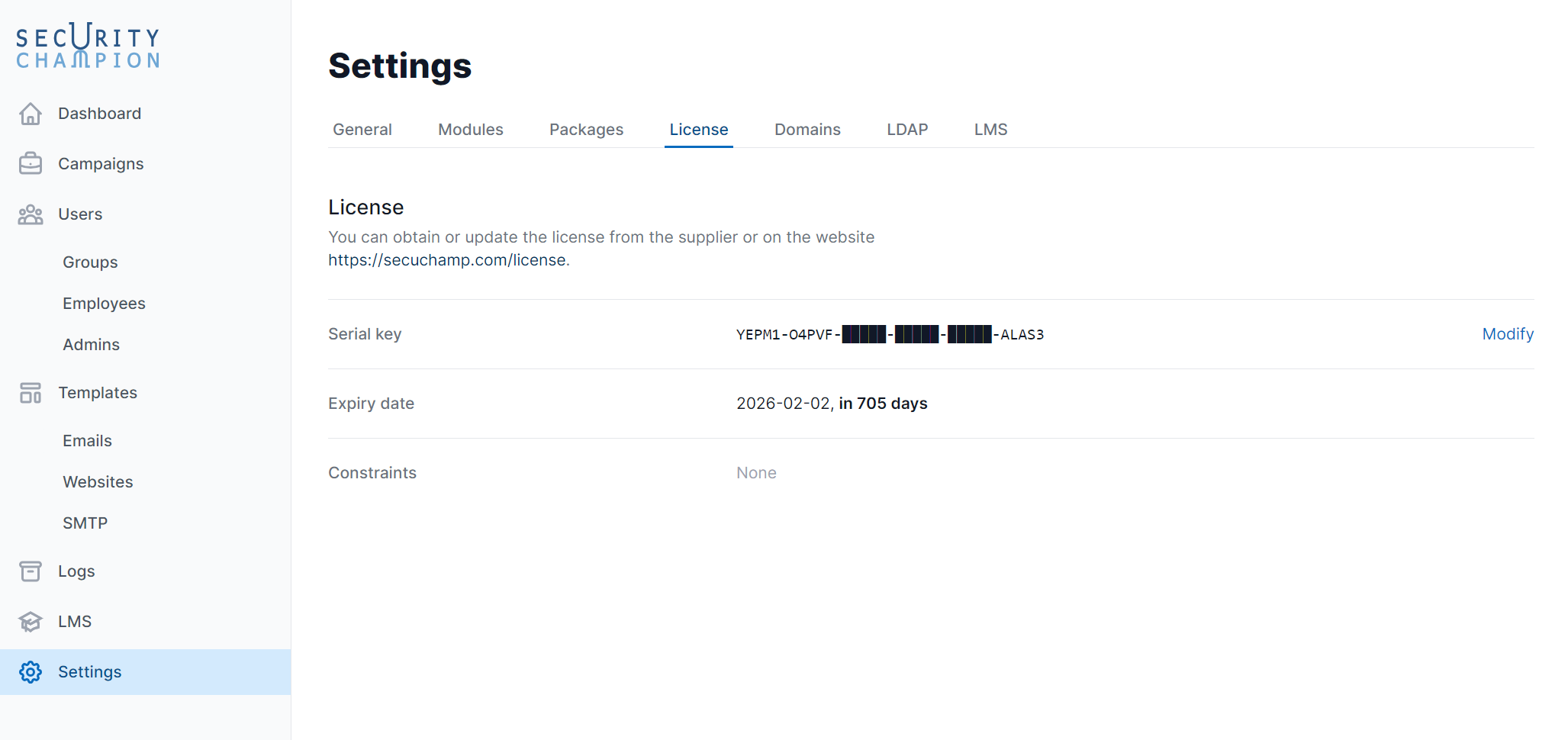
- Serial key: Enter or change the license activation key.
- Expiry date: The end date of the license.
- Restrictions: The maximum number of employees in your license
Domains
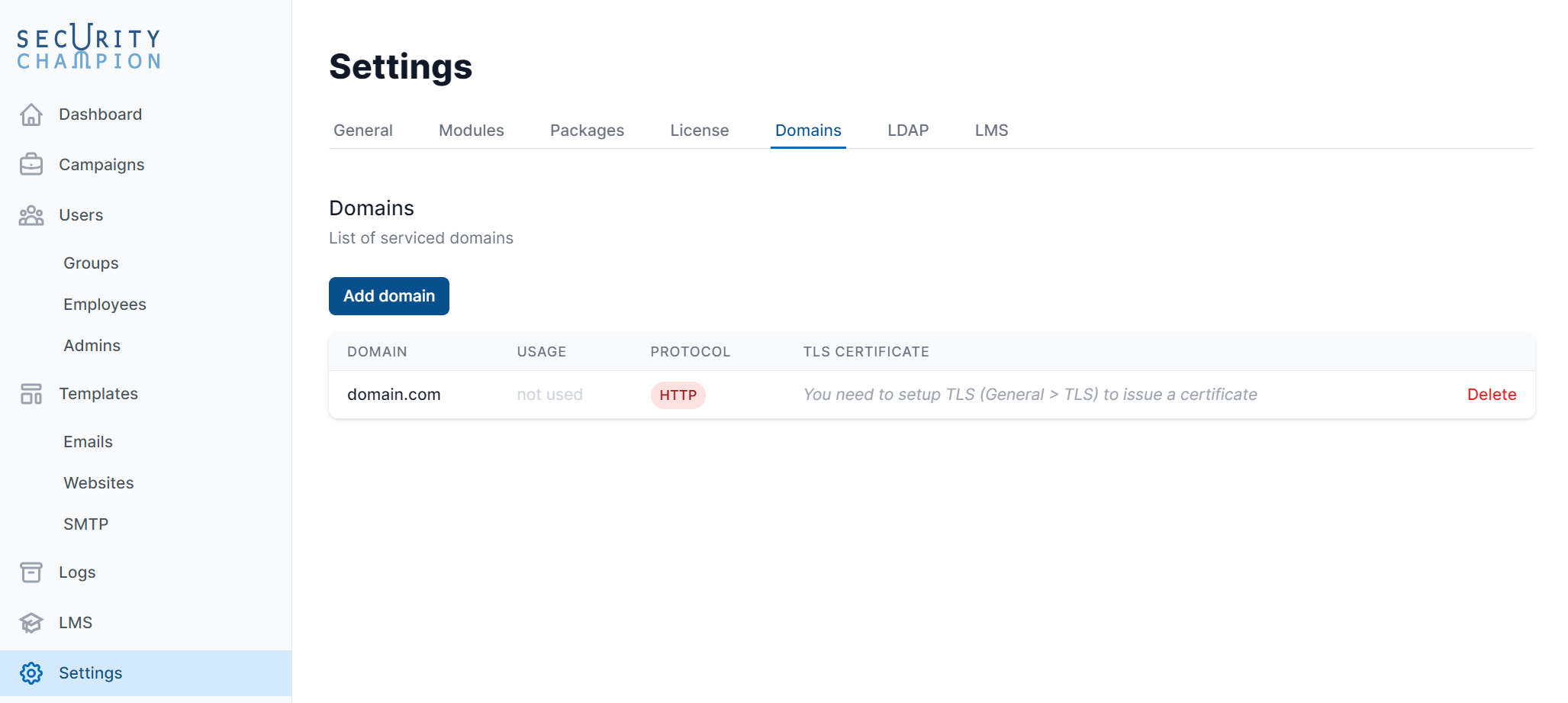
Here you can find all domain names added and how many websites use them.
Adding a new domain
To add a new domain, click Add Domain. 
You will see the following window:

To add a domain, specify it and create a DNS A record.
Your domain will then appear in the list: 
Modules
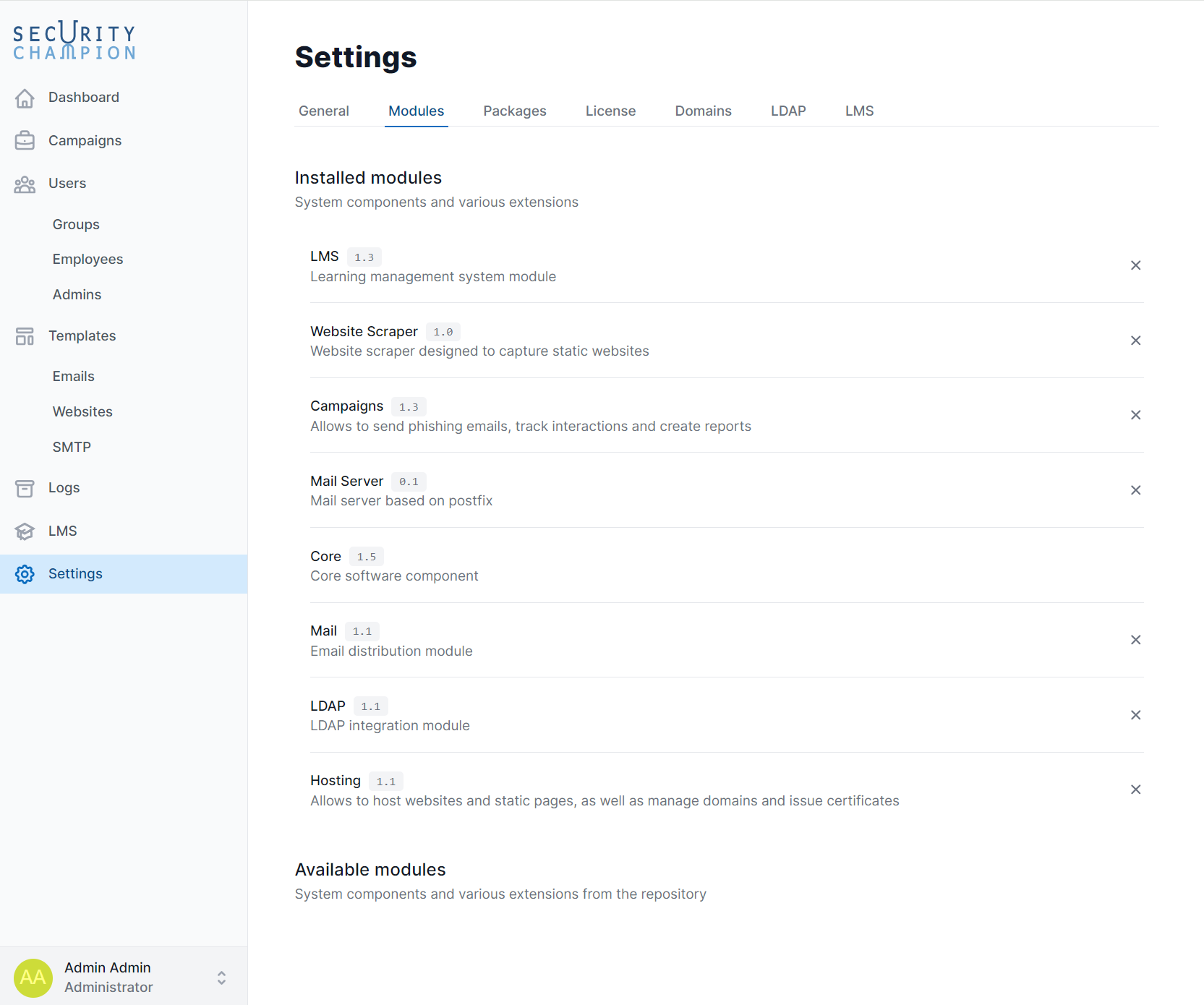
Here you need to install the modules required for the system.
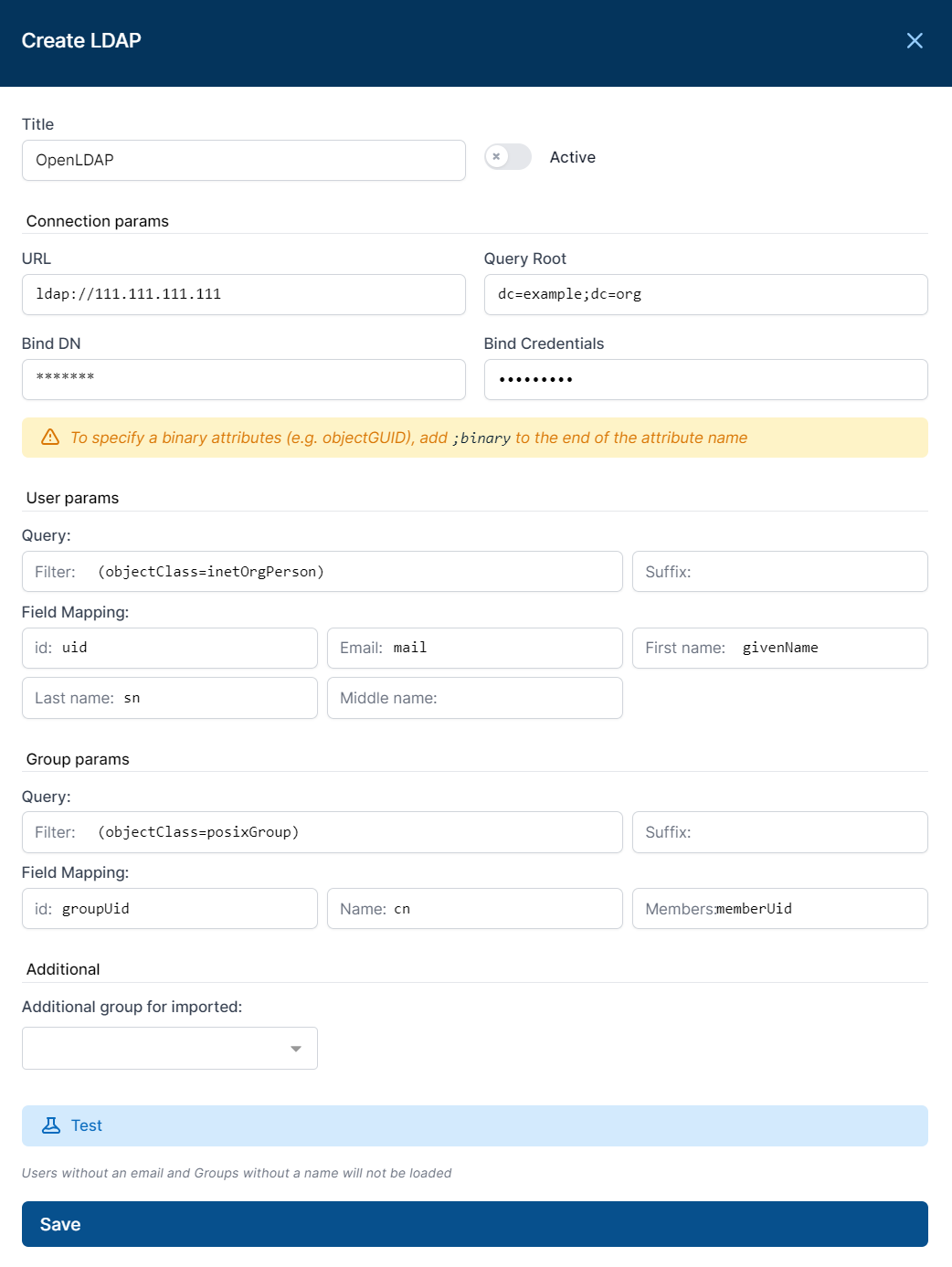
LDAP
LMS
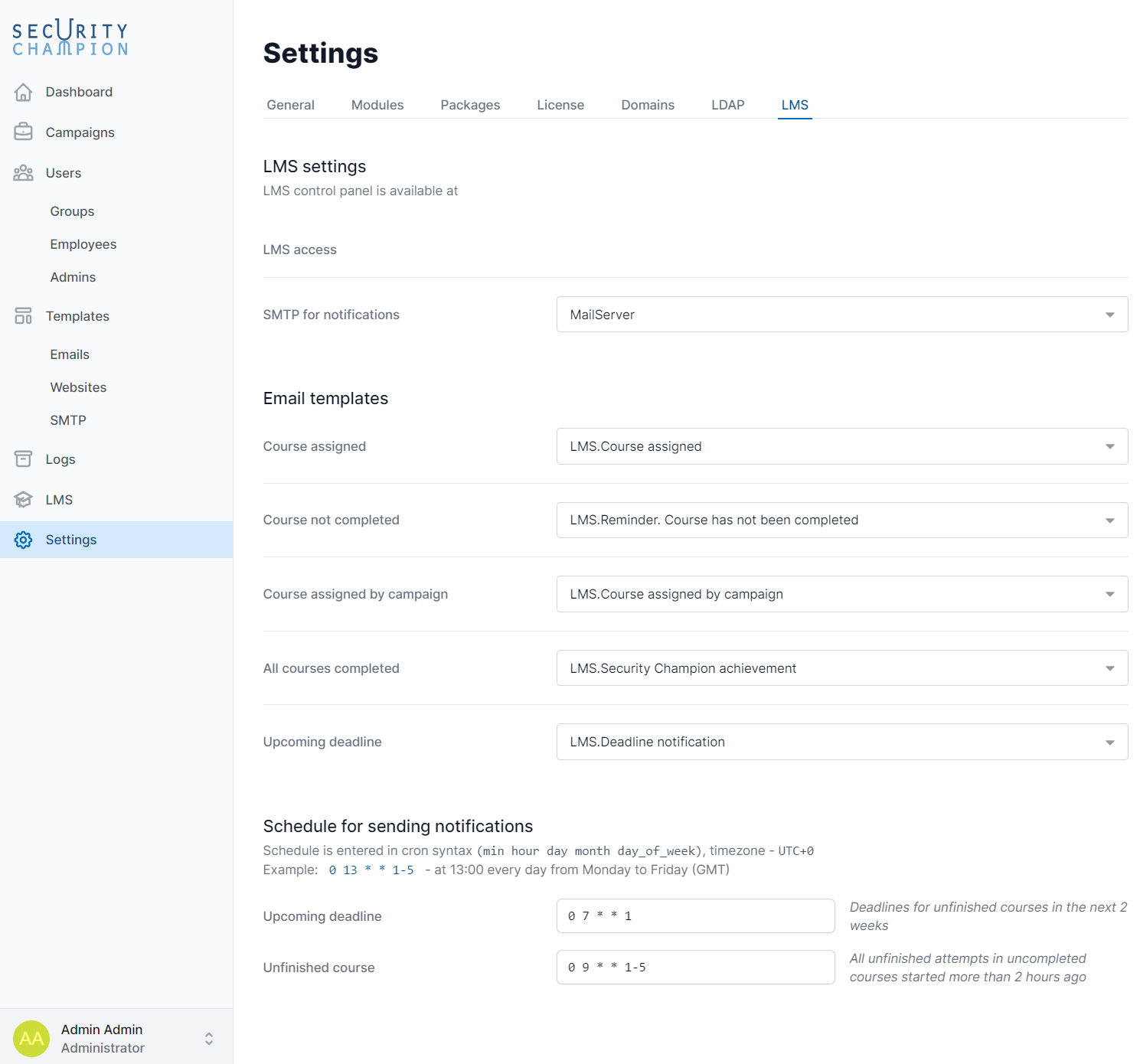
- LMS access: The link to access the training system account to assign courses and monitor employee progress.
- SMTP for notifications: Select the account used to send emails notifying users about assigned courses.
- Email template: Select the email template to use when notifying users about assigned courses.